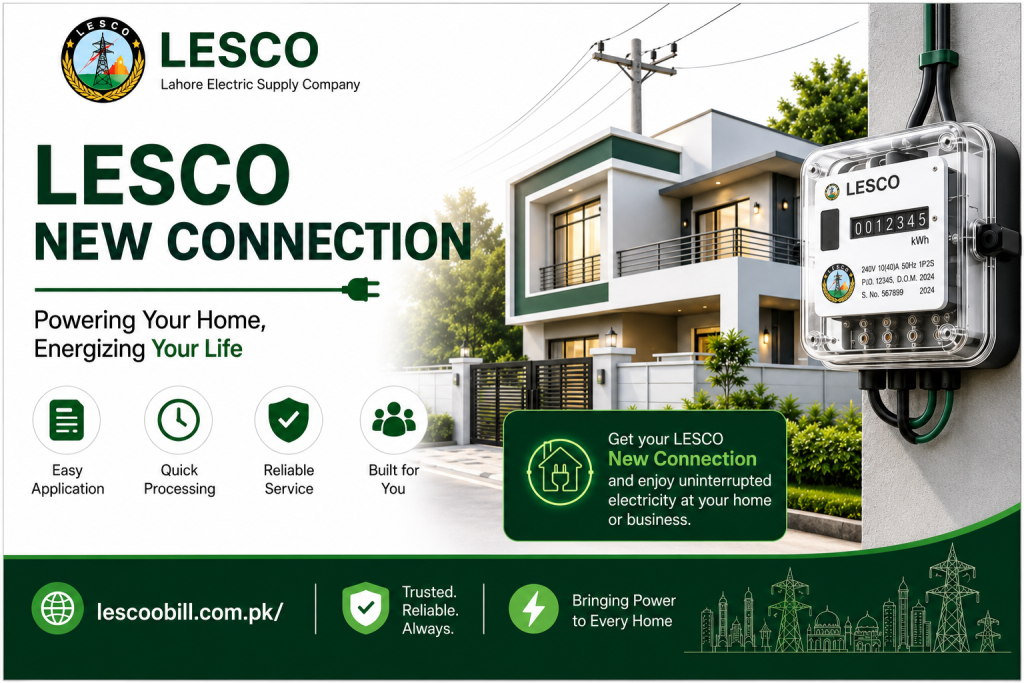
Do you need a new LESCO connection and want to know how to apply for a LESCO connection? Or do you want to know the procedure for changing the current connection name, meter load, or tariff? Don’t worry, we provide complete information to help you with all these requirements.
In this article, we will guide you step by step through the entire process of obtaining a new LESCO Connection. You will get complete information about the Demand Notice and Fee. You can also check your duplicate bill easily.
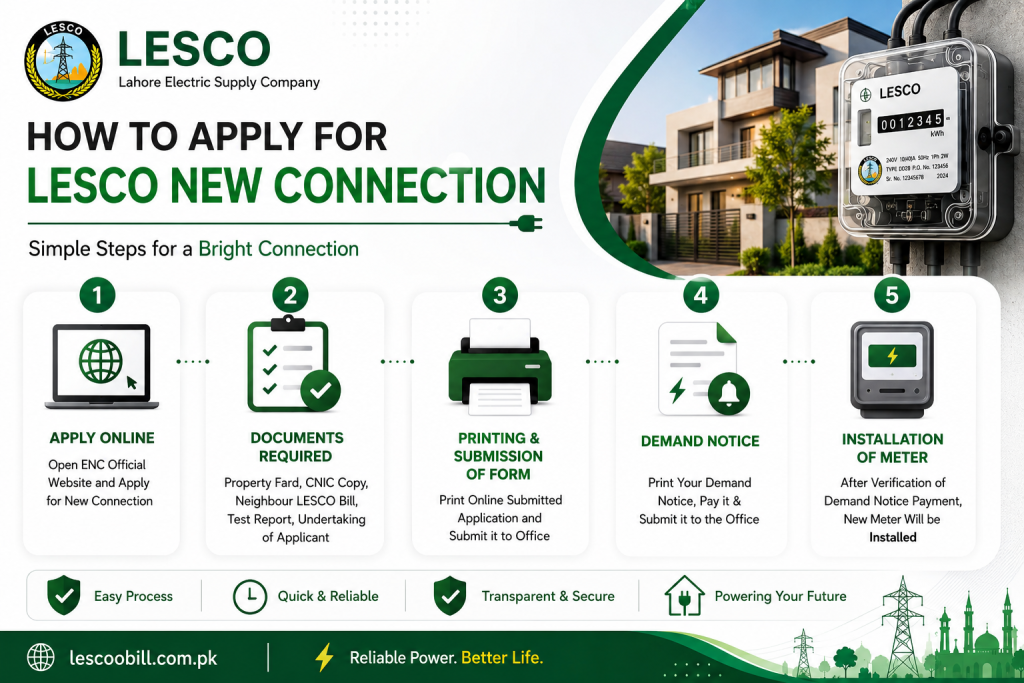
We will also guide you through the process of changing the existing connection name, load, and tariff. You will receive step-by-step guidance for all the required procedures.
📑 Table of Contents +
- How to Apply
- Documents Required for LESCO New Connection
- Printing and Submission of Application
- Demand Notice (DN)
- New Connection Application Tracking
- Installation of Meter
- Time Required Category-Wise
- Category-1 (1kW–15kW)
- Category-2 (16kW–70kW)
- Category-3 (71kW–500kW)
- Change Connection Name / Load / Tariff
- Required Attachments
- Submitting Application
- Print Demand Notice & Pay Fee
- Conclusion
- FAQs
How to Apply
The government has introduced a centralised web portal for new connections across Pakistan. Now, people can apply for new connections, change the connection name, or modify the load or tariff by visiting the official ENC website.
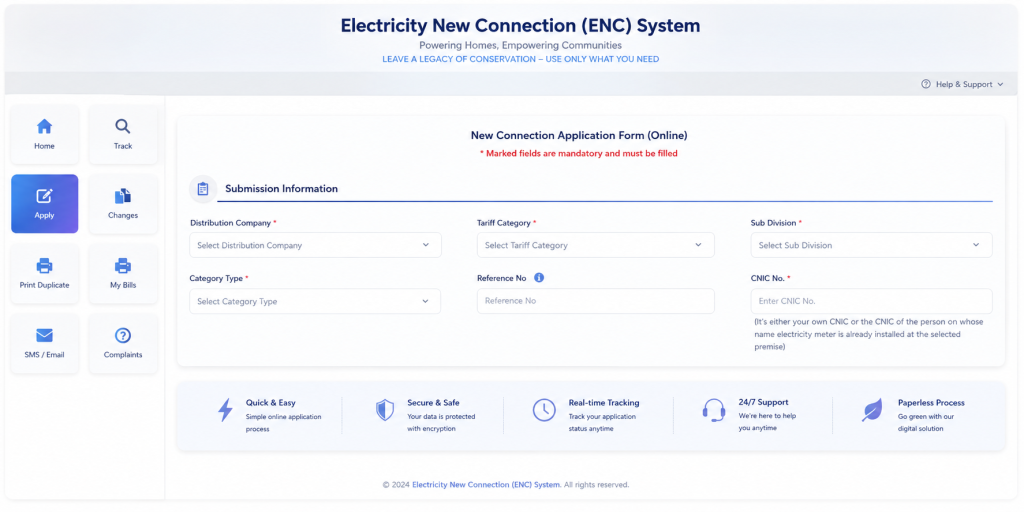
- Select “Apply” from the left-side menu.
- When you click the “Apply” button, a new page will open.
- Here, you will see four tabs: Select Company, Sub Division, Category, and Reference Number.
- First, select the company LESCO.
- Select the sub-division according to your area from the drop-down menu.
- Select the category from the drop-down menu according to your requirements.
- Enter the reference number of your neighbour.
- A detailed application form will then open.
- Select the connection type, such as domestic, commercial, etc.
- Provide your personal details, including ownership status, name, father’s name, citizenship, CNIC, mobile number, and address.
- Provide your contact information. You can select the same as the above option if applicable.
- Provide the premises details, such as the number of meters already installed, if any, the minimum load, and the address where you want to install the meter.
You can also apply for a Green Meter or Net Metering if you have installed a solar system and want to sell excess electricity to the national grid. When you open the ENC system web portal, you will see the portal interface as shown below:
Documents Required for LESCO New Connection
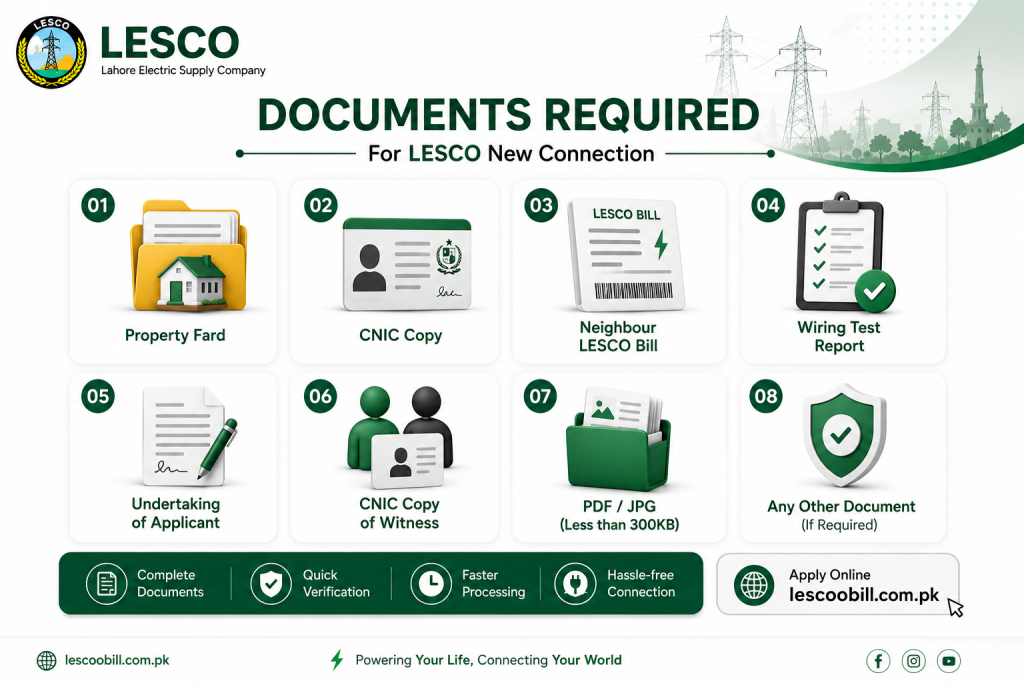
You have to upload some documents as files on the web portal. Below are the details of the documents required to be uploaded online:
- Copy of the property document, such as Fard, Registry, or property file
- Attested copy of the applicant’s CNIC
- Attested copy of the witness’s CNIC
- Copy of the neighbour’s bill
- Test report from the wiring contractor
- The file size should be less than 300 KB
- Applicant’s Undertaking
- When you click on the “I Agree” tab, you provide your undertaking regarding the terms and conditions.
- Your application is now ready to submit.
- Submit the application.
When you submit your online application, you will receive a Tracking ID for the new connection. Make a note of it, as it will be used to download and track your application. You can also use the Bill Calculator to estimate your bill before receiving your original bill.
Printing and Submission of Application
- WAPDA focal persons will verify the information and submitted documents.
- They may visit you in person to verify your address and other details.
Demand Notice
Once your verification is complete, you can print your Demand Notice (DN) online.
- Visit the ENC website.
- Select “Print DN”.
- Enter your Tracking ID.
- Your Demand Notice will be displayed.
- Print the Demand Notice and pay it at any designated branch.
- After paying the DN, upload the paid copy to the website.
- Submit it to the concerned officer at the office.
New Connection Application Tracking
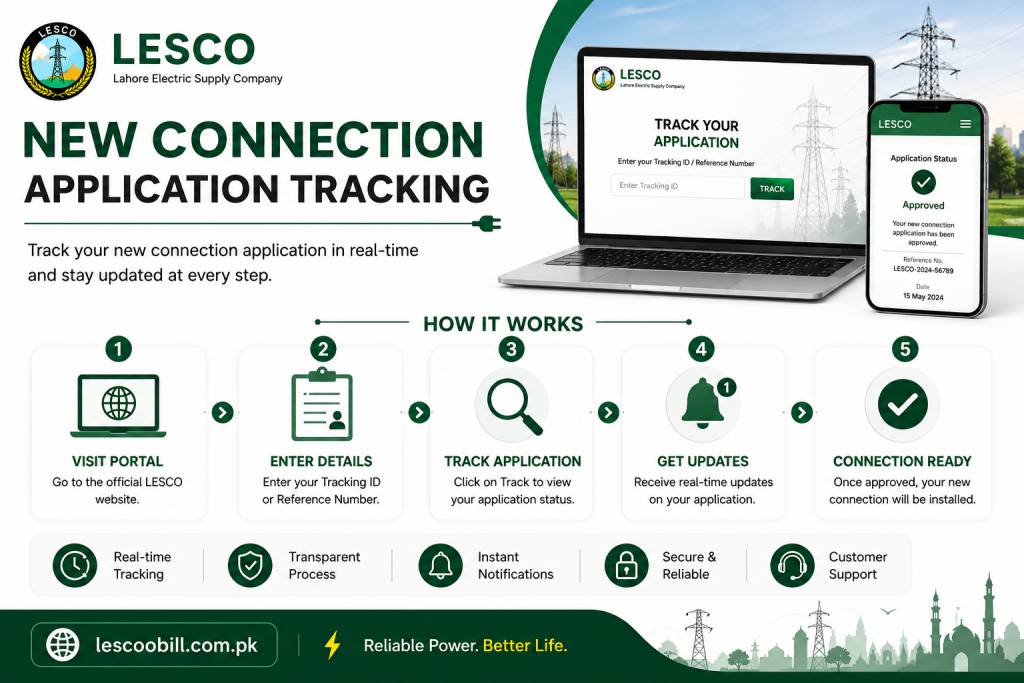
Do you want to track your New Connection Application Status? Don’t worry, you can easily track your application status using the Tracking ID provided by the ENC System after submitting your application.
Here is the complete process for tracking your application:
Visit the ENC Site:
To get started, visit the ENC website. You will find a tracking feature on the left sidebar.
Click on the Track Button:
On the ENC homepage, click the “Track” button. This will open the application tracking interface.
Select Application Type:
There are two types of applications available on the form. Select the relevant option, which is New Connection in this case.
Choose Company:
A new interface will open. From the drop-down menu, select LESCO.
Enter Your Tracking ID:
Enter the Tracking ID provided by ENC when you submitted your application.
Submit:
Click the “Submit” button.
Your new connection application status will then be displayed.
Installation of Meter
After verification of the paid Demand Notice, your new connection will be approved, and a new meter will be installed at the designated location.
Time Required for New Connection Category-Wise
There are 3 main categories for connections based on load:
- Category 1: Load up to 15 kW
- Category 2: Load from 16 to 70 kW (400 volts)
- Category 3: Load from 71 to 500 kW (400 volts)
Now, we will discuss in detail the steps and time required for a new connection in each category.
Time Frame Required For Category-1 ( load 1kW-15kW )
All consumers with a load of up to 15 kW fall under Category 1. The concerned SDO/Assistant Manager of Operations will receive and process the request for a new connection in this category. The processing time for this category is approximately 30 days.
The details of each step and the time required are as follows:
| Process | Time Required |
|---|---|
| After the successful submission of the application, the office will issue a receipt and assign a seniority number to the application in the register. | 1 Day |
| The inspection team will visit the premises to determine whether the connection can be provided easily and will inform the applicant accordingly. | 3 Days |
| If the connection can be provided, the required costs will be estimated. | 2 Days |
| The office will deliver the Demand Notice to the applicant either in person or by mail. | 2 Days |
| The applicant will submit the paid Demand Notice receipt to the office. | 2 Days |
| The applicant will submit the wiring test report to the office, which will verify it. | 3 Days |
| The concerned office will prepare a priority list according to the Demand Notice payment date. | 1 Day |
| The concerned office will issue the service connection order. | 3 Days |
| The office will contact the store to provide the required equipment for the connection. | 3 Days |
| The store will provide the required equipment. | 5 Days |
| Once the required equipment is received, the concerned office will arrange for the connection to be installed. | 5 Days |
| Total Time Required | 30 Days |
Time Frame Required for Category 1
Time Frame Required for Category-2 ( Load 16kW-70kW )
It includes all consumers with electricity loads between 16 and 70 kW. The connection will be approved by the concerned DM/XEN. The estimated processing time for a new connection in this category is approximately 53 days.
The process is almost similar to the Category 1 connection process.
| Process | Time Required |
|---|---|
| After the successful submission of the application, the office will issue a receipt and assign a seniority number to the application in the register. | 1 Day |
| The inspection team will visit the site to assess whether the connection can be provided easily and will inform the applicant accordingly. | 4 Days |
| If the connection can be provided, the required costs will be estimated. | 3 Days |
| The office will deliver the Demand Notice to the applicant either in person or by mail. | 4 Days |
| The applicant will submit the paid Demand Notice receipt to the office. | 2 Days |
| The applicant will submit the wiring test report to the office, which will verify it. | 5 Days |
| The concerned office will prepare a priority list according to the Demand Notice payment date. | 2 Days |
| The concerned office will issue the service connection order. | 4 Days |
| The office will contact the store to provide the required equipment for the connection. | 15 Days |
| The store will provide the required equipment. | 7 Days |
| Once the required equipment is received, the concerned office will arrange for the connection to be installed. | 6 Days |
| Total Time Required | 53 Days |
Time Frame Required for Category 2
Time Frame Required for Category-3 ( Load 71kW-500kW )
All consumers with an electricity load between 71 kW and 500 kW fall under Category 3. The connection will be approved by the concerned Operations Manager.
| Process | Time Required |
|---|---|
| After the successful submission of the application, the office will issue a receipt and assign a seniority number to the application in the register. | 1 Day |
| The inspection team will visit the site to assess whether the connection can be provided easily and will inform the applicant accordingly. | 4 Days |
| If the connection can be provided, the required costs will be estimated. | 2 Days |
| The concerned office will approve the installation of the connection. | 4 Days |
| The applicant will submit the paid Demand Notice receipt to the office. | 4 Days |
| The applicant will submit the wiring test report to the office, which will verify it. | 4 Days |
| The concerned office will issue the service connection order. | 2 Days |
| The office will contact the store to provide the required equipment for the connection. | 15 Days |
| After receiving the equipment, the committee consisting of DMO, AMO, and MT Office will arrange for the connection to be installed. | 37 Days |
| Total Time Required | 73 Days |
Time Frame Required for Category 3
Change Connection Name/Load/Tariff
Sometimes, we need to change the meter ownership for various reasons, such as the sale or purchase of a property or transferring a connection from parents to their children. In some cases, we may also need to change the Load or Tariff Plan of the connection.
We will discuss the complete process of changing the connection name, load, or tariff in detail.
Name/Load/Tariff Change
- Visit the ENC website.
- Click the “CHANGE” option from the left sidebar menu.
- Select the application type from the available options, such as Change of Name, Change of Load, or Change of Tariff. You can select more than one option if required.
- Enter the applicant’s details, including the Reference Number, CNIC Number, Mobile Number, and Name.
- If you want to change the name, provide the details of the old and new names.
- If you want to change the load, enter the required details in the load section.
- If you want to change the tariff, complete the relevant form.
ATTACHMENTS Required
The applicant must attach the following documents. The maximum file size is 300 KB:
- Attested copy of the applicant’s CNIC
- Copy of the applicant’s electricity bill
- Proof of ownership
Submitting and Printing of Application
- Now submit the application. A Tracking ID will be assigned by the ENC website. Note it down for future reference.
- Select the “Print” option from the left-side menu, select the company, and enter your Tracking ID to print the application.
- Attach all the required documents and submit them to the concerned office.
Print the Demand Notice and Pay the Fee
- After verification, the Demand Notice (DN) will be issued.
- You can download and print the DN from the ENC website. Select “Print DN” from the menu and enter your Tracking ID. Then print your DN.
- After printing the DN, you can pay it at any designated bank.
- You can also pay the DN online through the ENC website by selecting the “PAY DN” option.
- After paying the DN, upload the paid copy to the portal by selecting the “UPLOAD DN” option.
- The customer can send the paid copy of the DN to the concerned office.
After verification of the Demand Notice payment, the requested changes will be applied.
Conclusion
If you want to apply for a new connection or change the name of your existing connection, you can apply either in person or online. We have discussed the complete online application process above. You simply need to follow the given steps.
You can also track your new connection application online by entering your Tracking ID on the ENC portal linked through the ENC website.